


Flash Clean: Storage & Memory
4.536.00 Reviews
App Specs
- Version
- 1.0.1
- Updated On
- License
- Free
- Downloads
- 100,000+
- Developer
- FRODO VENTURES LIMITED
- Categories
- Tools
- Platform
- Android
Screenshots
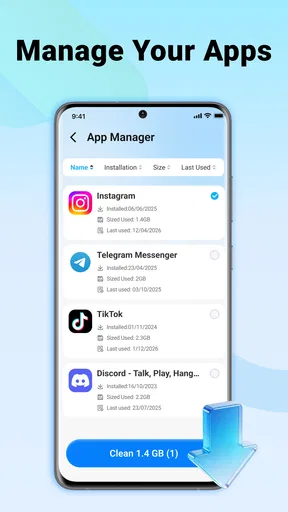
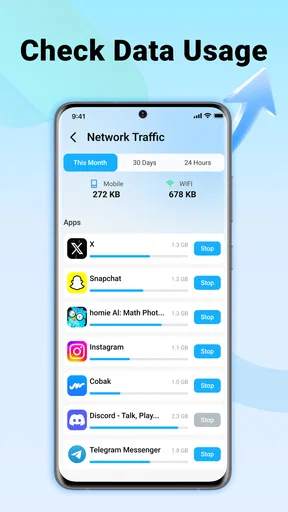
 Analysis by AppCompare
I tried Flash Clean: Storage & Memory as a lightweight Android tool for people who want a quick way to tidy up a crowded phone. Its main appeal is straightforward: it focuses on finding removable clutter and helping you reclaim space without turning storage maintenance into a long manual session. That makes it easy to understand from the first launch, especially if your phone regularly warns that storage is running low.
The app comes from FRODO VENTURES LIMITED and sits in the tools category rather than presenting itself as a full file-management suite. It is free to use, carries an Everyone age rating, and supports Android 8.0 or later. The current release is version 1.0.1, so I approached it as a focused utility rather than a mature all-in-one system manager.
How Flash Clean handles everyday storage cleanup
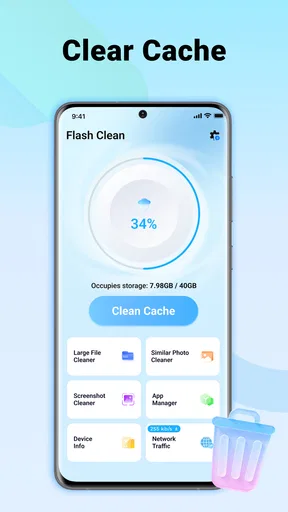
The first thing I noticed is how clearly the app is built around a single routine: scan the phone, review what can be removed, and clean it when the result looks sensible. That narrow purpose is useful because many storage tools bury the important action under dashboards, charts, battery panels, notification controls, and unrelated optimization features. Here, the central task stays visible.
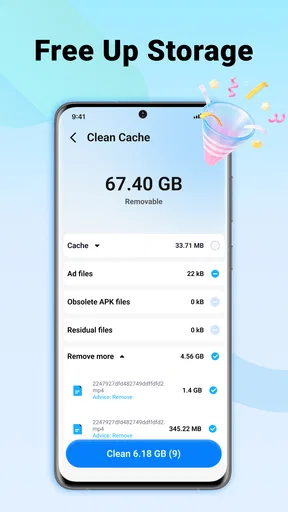
In practical terms, this kind of tool is most helpful when your storage problem is caused by accumulated temporary material rather than by one large personal file. App leftovers, cached content, and other disposable items can build up quietly while you use social networks, browsers, streaming services, and messaging apps. A quick cleanup can make the phone feel less cramped, but it does not replace checking your photos, videos, downloads, and offline media when those are the real source of the problem.
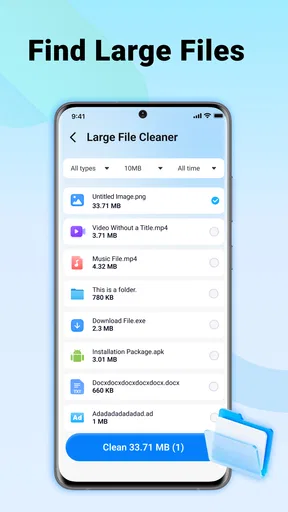
That distinction is important. A one-tap cleaner is convenient, but the button should not be treated as a magic solution for every storage warning. If a large video folder is consuming most of the space, Flash Clean cannot make the decision for you in the same way a file browser can. I would use it as a first pass for disposable clutter, then investigate large personal files separately.
The simple workflow also makes the app approachable for less technical users. Someone who is uncomfortable browsing Android folders can start with a scan instead of guessing which directories are safe. At the same time, I would still read the cleanup results before confirming anything. Convenience is valuable, but a storage tool should never encourage blind deletion.
What the free access means in practice
There is no purchase cost attached to using the app, which gives it an easy entry point for anyone who wants to test a cleaner without committing money first. That matters in this category because many competing utilities use free installation as a starting point and place important actions behind subscriptions or one-time payments. With Flash Clean, the verified price is free, so the basic decision is whether its focused workflow is useful enough to keep.
Worth Reading Before You Choose

EA SPORTS FC Mobile 26 Is a Bigger Football Game, but It Takes Time

Flipboard Shows What News Apps Must Do Beyond the Feed

Switching to Android Auto Means Rethinking Your Driving Routine

Google Calendar Makes a Crowded Week Easier to Manage

Ludo King Makes the Most of the Minutes Between Plans

Baby Panda World Brings Quick Play to Modern Phones, but Its Game Library Feels Busy
I would not describe free access as proof that it is the best value for every phone. Android already includes built-in storage settings, and some manufacturers add their own cleanup tools. Those options may be enough if you only need to see what is taking up space or remove a few temporary files. Flash Clean earns its place when its quicker presentation saves you effort compared with navigating those system screens yourself.
Because the app is free, the main trade-off is not a purchase decision but a time-and-trust decision. You are deciding whether another utility deserves a place on your phone and whether its cleanup suggestions are clear enough for you to approve confidently. I would judge it by how quickly it helps me reach a sensible result, not by the number of buttons or categories shown on screen.
The app has an average rating of 4.5 from around 500 ratings, with a few dozen written reviews, and it has passed the 100K-install mark. Those figures suggest that people are finding the concept useful, but they should not replace your own check of the cleanup screen. A storage app can be popular and still be a poor match for someone who wants detailed folder control or advanced backup safeguards.
A realistic use case: preparing a phone for a trip
One situation where I can see myself using Flash Clean is before a trip. I might need room for offline maps, downloaded playlists, camera photos, and a few long videos. Instead of deleting personal files in a hurry, I would run the cleaner first to remove disposable clutter, then check the storage settings for the largest remaining categories. That two-step approach is safer than assuming every large item is unnecessary.
The same routine works before recording an event, installing a large game, or updating a phone that is close to its capacity limit. The useful insight is to run the scan before the emergency moment arrives. If you wait until the camera refuses to save a photo, you are more likely to remove something without checking it properly. Used as a small maintenance step, the app can reduce that pressure.
I also like the idea of using it after a period of heavy app use rather than repeatedly cleaning after every session. Constantly chasing tiny amounts of reclaimed space can become busywork. A better habit is to scan when storage warnings appear, after downloading a lot of temporary content, or before a known storage-heavy task. That keeps the tool practical instead of turning it into a ritual with little benefit.
Where it is more convenient than Android settings
Android’s own storage controls are the more authoritative place to understand the phone as a whole. They can show which apps, media types, and files occupy space, and they are the sensible destination when you need to uninstall an app, move files, or review personal content. Flash Clean is more appealing when I want a shorter route to routine clutter removal.
That difference gives each option a clear role. I would open the system settings when I need an explanation of why storage is full. I would try Flash Clean when I want a quick cleanup pass and do not want to inspect every temporary category manually. A dedicated file manager is still better for renaming, sorting, moving, or deleting specific documents because those tasks require precision rather than speed.
Compared with broad “phone booster” apps, the focused approach is a positive for me. I am cautious about utilities that combine cleaning with aggressive performance promises, memory claims, battery controls, and intrusive reminders. Flash Clean’s stated purpose is narrower, which makes it easier to evaluate honestly: does it help clear unwanted storage, and does it present the result clearly enough to trust?
The trade-offs I would consider before keeping it
The biggest limitation is that a one-tap concept can hide important context. Storage is not just a pile of junk. Some cached material may make an app open faster, some downloads may be intentionally kept offline, and some folders may look disposable while containing files the user still wants. I would never confirm a cleaning action without reviewing the categories and the amount of space involved.
Another limitation is that cleaning does not necessarily make a phone feel faster. Freeing storage can help when the device is severely cramped, but it is not the same as upgrading hardware or closing every background process. If your complaint is slow animation, poor battery life, or an outdated operating system, a storage cleaner may address the wrong problem. That is a key reason I would avoid judging it as a general performance booster.
There is also a practical ceiling to how much value a cleaner can provide. If the phone is filled with high-resolution photos, videos, music, or large games, removing temporary files may recover only a small portion of the total. In that situation, the better solution is to back up important media, remove unused downloads, uninstall apps you no longer use, or add suitable external storage where the device supports it.
Since this is a relatively new release, I would also keep my expectations measured. Version 1.0.1 is enough to try the central workflow, but I would not choose it for a complex storage-management job that depends on years of refinement, extensive filtering, or a large set of specialist controls. For a simple cleanup assistant, that may be perfectly acceptable; for power users, it may feel limited.
Small habits that make the cleaner safer
My first habit would be to check the scan result instead of tapping through automatically. If the app groups items by type, I would use those labels as prompts for a second look, particularly when the phone contains work files, travel downloads, or media saved for offline use. The fastest workflow is not always the safest one.
My second habit would be to pair the cleaner with a storage review. After removing disposable clutter, I would open Android’s storage overview and identify the largest remaining category. This prevents a common mistake: repeatedly cleaning small temporary files while ignoring a single large folder that is actually responsible for the warning.
My third habit would be to use it before, rather than during, a storage emergency. A calm scan gives me time to decide what can go. It also lets me compare the result with my own expectations. If the app reports very little removable material, that is useful information: the next step is probably file organization or app removal, not another scan.
Finally, I would avoid installing a cleaner solely because the phone feels slow. I would first check available storage, recent app behavior, system updates, and battery usage. Flash Clean makes sense when the problem is cluttered storage. It is the wrong tool when the evidence points elsewhere.
Who will get the most value from it?
I think Flash Clean suits people who want a simple, free storage-maintenance shortcut and do not enjoy navigating Android’s file structure. It can also help family members who need an uncomplicated way to start checking a crowded phone, provided someone explains why the results should be reviewed before deletion.
It is a reasonable choice for users who regularly download temporary content, switch between many apps, or receive storage warnings but do not need detailed file operations. The low-friction approach is its strongest quality. You open the tool with a specific problem in mind and can quickly decide whether there is anything worth cleaning.
I would skip it if you already manage storage comfortably through Android settings or a trusted file manager. I would also look elsewhere if you need cloud backup, duplicate-photo organization, secure file deletion, scheduled maintenance, or fine-grained folder rules. Those needs call for specialized tools, and a focused cleaner should not be judged harshly for not being a complete file-management system.
Privacy-conscious users should make the same practical review they would make with any utility that examines storage. Before relying on it, I would read the app’s permission prompts and privacy information on the installation page, then decide whether the requested access fits the job. The free price removes a financial barrier, but it does not remove the need to understand what an app can inspect or do.
My recommendation after using it
I see Flash Clean as a convenient first step, not a replacement for Android’s storage controls. Its free access makes trying it low-risk from a purchase perspective, and its narrow purpose is easier to understand than the crowded feature lists found in many cleaner apps. The strongest case for it is a user who wants a quick scan for removable clutter and is willing to review the result sensibly.
My recommendation is therefore conditional: try it if storage cleanup feels unnecessarily complicated, especially on an Android phone running version 8.0 or newer. Keep it if the scan regularly helps you reclaim useful space with little effort. If it finds very little, or if your real problem is large personal files, slow performance, or the need for detailed organization, uninstall it and use the system tools or a more specialized alternative instead.
In the end, the app delivers value through convenience rather than depth. I would recommend it to a friend who wants a straightforward cleanup assistant, with one firm reminder: review what will be removed before confirming any one-tap action. Used that way, Flash Clean is a sensible free tool for routine storage maintenance, but it should remain one part of a broader and more careful approach to managing a phone.
Pros
- Quickly identifies large
- duplicate
- and unnecessary files
- Simple interface makes storage cleanup easy for beginners
- Useful memory tools can help monitor device performance
- Offers convenient file previews before deleting items
- Can help organize cluttered photos
- videos
- and documents
Cons
- Some cleanup features may require a premium subscription
- Scanning can take time on devices with extensive storage
- Automatic deletion settings may need careful review
- Ads may interrupt the experience in the free version
- Results can include files you may prefer to keep
FAQs for Flash Clean: Storage & Memory
What is Flash Clean: Storage & Memory used for?
Flash Clean: Storage & Memory is designed to help you manage space on your mobile device. It can scan for unnecessary files, cached data, leftover items, large files, duplicate photos, and other content that may be taking up storage. It may also include memory-management or device-optimization tools, although the exact features can vary depending on your Android version and the permissions you grant.
Is Flash Clean: Storage & Memory safe to use?
The app can be useful for identifying storage that may no longer be needed, but you should review its suggestions carefully before confirming a cleanup. Files that look unnecessary may still be important, especially photos, downloads, documents, or app data. Avoid granting permissions that seem unrelated to its purpose, and check the app’s privacy information to understand how scan results and device information are handled.
Can Flash Clean delete important photos, videos, or documents?
A cleaning application may offer to remove duplicate, temporary, cached, or large files, but automatic recommendations are not always perfect. Before using a deep-clean or bulk-delete option, open the selected items and verify that they are genuinely unwanted. Back up valuable photos, videos, and documents first. Remember that deleting files through a cleaner may move them beyond easy recovery, depending on your device and storage settings.
Does Flash Clean: Storage & Memory really improve phone performance?
The app may help your device feel less cluttered by freeing storage space and removing temporary files. However, it cannot solve every performance problem, and clearing memory repeatedly does not always make a phone faster. Performance can also depend on battery health, available storage, Android updates, background apps, and the age of the device. Consider its optimization tools as maintenance features rather than a guaranteed speed boost.
Is Flash Clean: Storage & Memory free, and does it contain ads or subscriptions?
Before downloading, check the current Google Play Store listing for the latest pricing and conditions. Cleaning apps commonly offer a free version with advertisements, limits on certain tools, or optional premium features such as advanced file analysis and ad removal. If a subscription is available, review its billing period, renewal terms, and cancellation process carefully. Do not assume that uninstalling the app automatically cancels an active subscription.


